OpenRISK - A Peer-to-Peer Multiplayer Board Game
Table of Contents

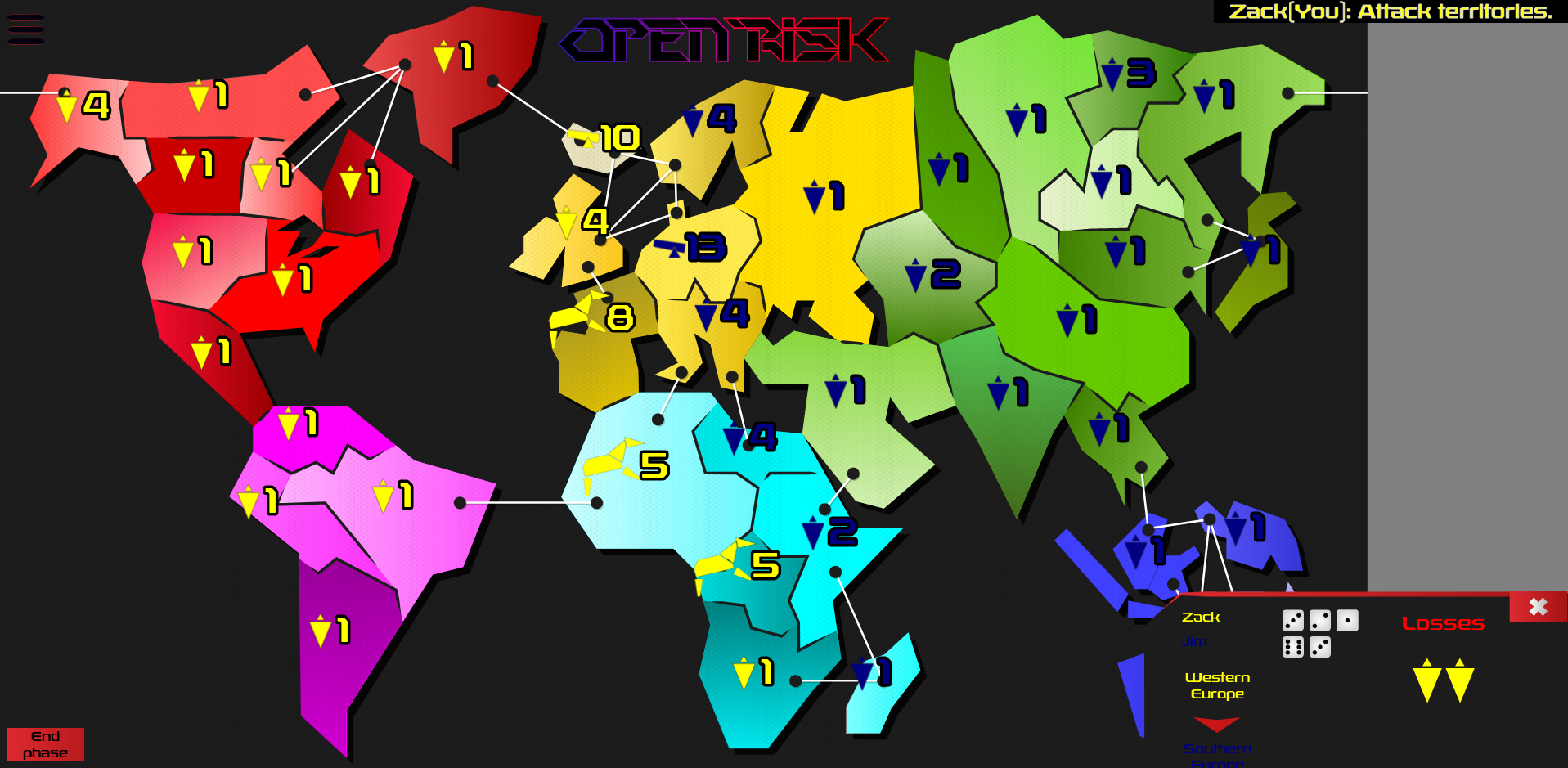
Play OpenRISK
Why JavaScript?
I have never used JavaScript before this project. Like many others, I always wrote it off as a "Quiche" language, in the same vein as Python, Scratch, and Visual Basic. I still think this idea has some merit, but after considering how prevalent JavaScript is on the web I decided to take the plunge.
Now, I hear you getting up from your seat and hollering, Quiche!, How could you, what happened to the Church of Emacs!?, but bear with me. Much like my last project, Kapow, I did this as part of my university education. We had to make a simple board game, but as usual, I went slightly overboard.
One day, I was playing a game of Risk with two of my friends. As my vast army invaded Europe from America, I thought: this would be better on a computer with online multiplayer.
Looking back, it turns out it's not really better to play Risk in front of a screen instead of in front of your friends. But I did not realize that until I had finished the game.
The Hard Parts
Building a multiplayer board game presents some problems you don't encounter in single-player games. The main challenges were: keeping all clients in sync, handling the complex game state, and making territory selection actually work.
Keeping Clients in Sync
The game is technically not peer-to-peer—the server relays messages between clients. But it functions like peer-to-peer in that there is no authoritative game state on the server. All clients maintain their own state and must stay synchronized.
The communication layer is defined in multiplayer/playerEventSource.js:
export class PlayerEventSource{
    constructor(callback){
        this.callback = callback;
    }

    sendMessage(msg){}

    onPlayerLeftGame(id){
        return true;
    }
}
This is an interface: a callback fires when a message is received, and sendMessage broadcasts to all peers. The WebSocket implementation handles the actual network communication, including heartbeats to detect disconnections.
The key insight is that handleInput never directly modifies game state. Instead, it sends a command that gets delivered to all clients, including the one that sent it. Every client processes the same commands in the same order, so they stay in sync.
This also means there's no separate code path for "my actions" versus "other players' actions." Everything is a request.
The Random Number Problem
Risk involves dice rolls. If each client generates its own random numbers, the game desyncs immediately—each player would see different combat results.
The solution is seeded random number generation. One client generates a seed and broadcasts it. All clients use that seed, so their "random" sequences are identical.
JavaScript's built-in Math.random() cannot be seeded. I used David Bau's seedrandom.js library instead.
Managing Game State
Risk has distinct phases: placing units, attacking, fortifying. Many online implementations simplify this by letting players do everything at once. I wanted the real rules.
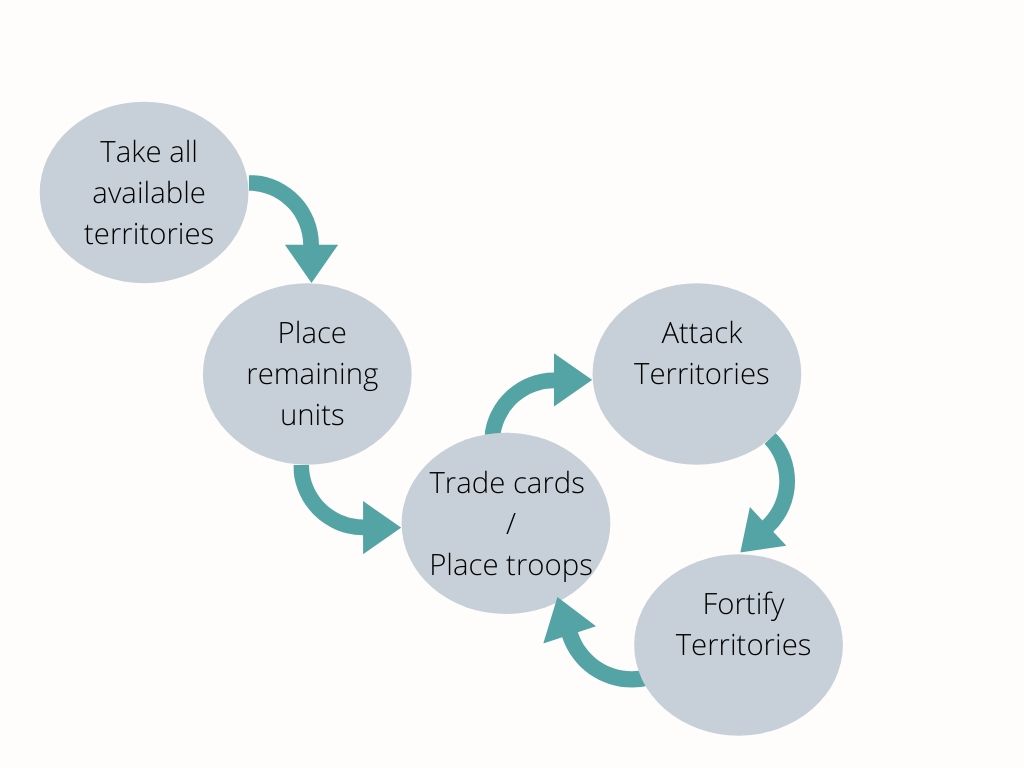
Each phase needs different input handling and rendering. I created a StageHandler interface:
export class StageHandler {
    static onPlayerEvent(event){}
    static handleInput(currPlayer, zone, mapView, game){}
    static select(){}
}
Looking back, I should have called this StateHandler=—I didn't realize I was building a state machine until later. The =select method initializes the state, handleInput processes clicks on territories, and onPlayerEvent handles incoming network messages.
Clicking on Territories
The question I get most from other developers: "How did you get territory clicking to work?"
The answer is two map images. One is the visible game map. The other is a hidden "zone map" where each territory is a solid, unique color.
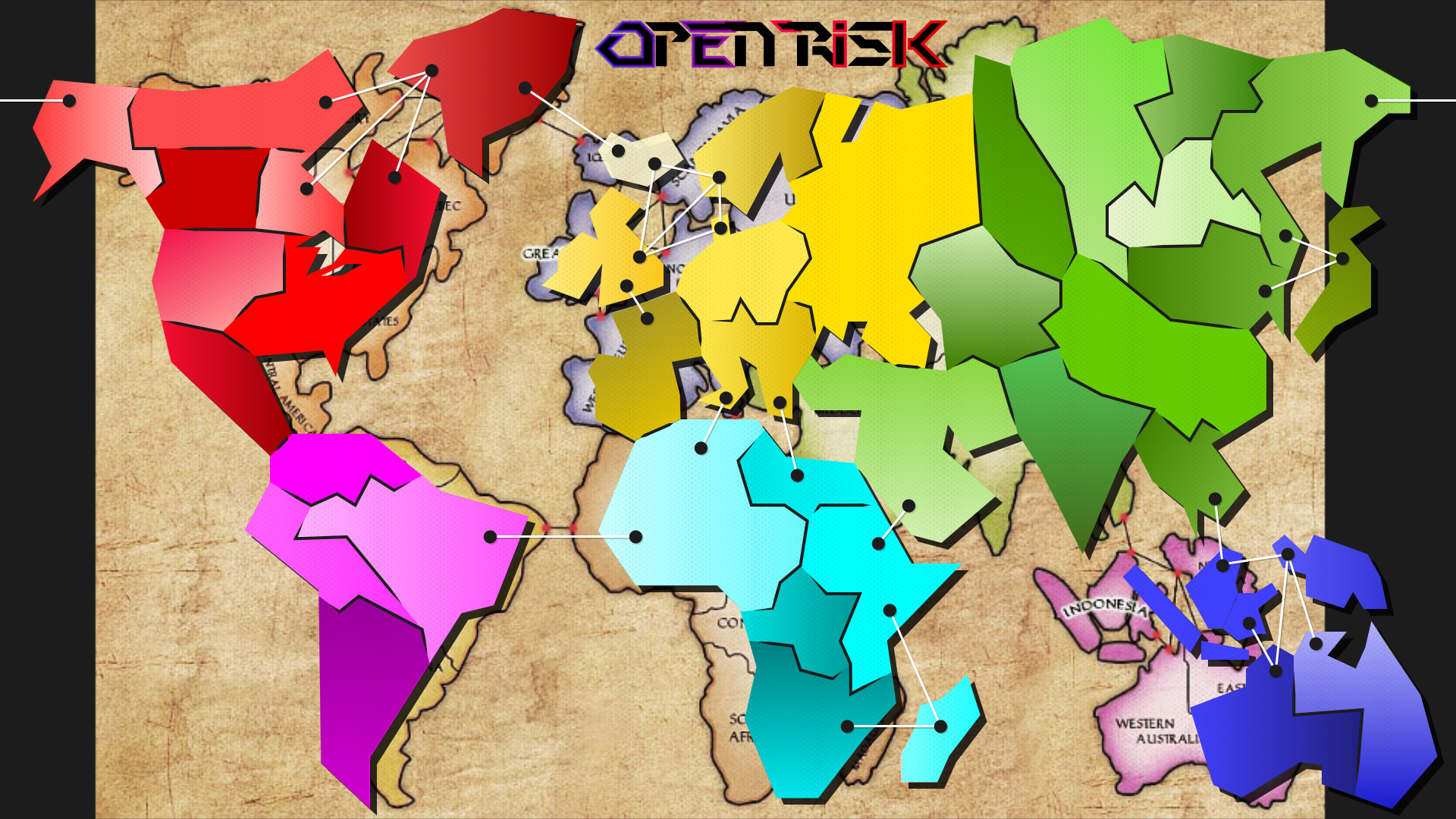
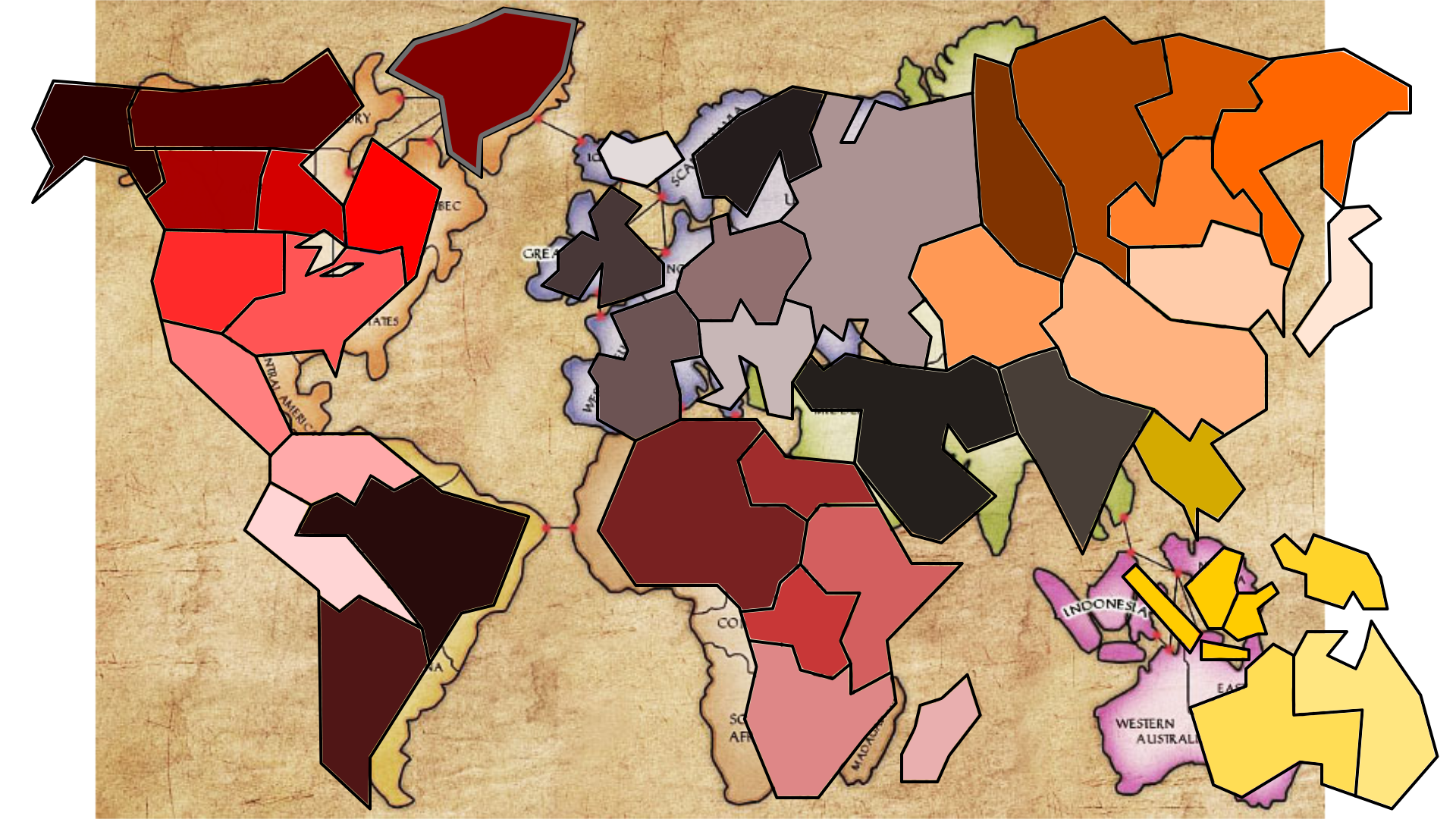
When a player clicks:
- Render the zone map to an off-screen canvas.
- Read the pixel color at the click position.
- Look up which territory that color represents.
- Pass the territory to the state handler.
No complex polygon math, no hit detection algorithms. Just a color lookup.
Highlighting Territories
Zone highlighting uses the same zone map, but extracting individual territory images took some thought.
First pass: for each zone color, find the bounding box (topmost, bottommost, leftmost, rightmost pixels).
Second pass: extract each zone's pixels into its own image, sized to its bounding box.
With these images cached, highlighting is just drawing a colored overlay. My first implementation didn't cache the images and was 200 times slower. Seeing that speedup after the rewrite was satisfying.
What I Learned
The zone map trick was the most useful discovery. Complex UI problems sometimes have simple solutions if you think about them differently.
The peer-to-peer architecture worked well for a turn-based game. For real-time games you'd want server authority to prevent cheating, but for Risk it doesn't matter—you can see the whole board anyway.
I managed to implement all the Risk rules I set out to do: unit placement, attacks with dice, fortification, card trading, the lot.
The source code is at Github.